 rengi
rengiScreenshots
- On the clipboard the moment you let go
- A preview card with Copy, Save, Save to and Folder
- Recent folders remembered

A free, open-source screenshot and screen recording tool for Windows. One small exe, no installer, no runtime.
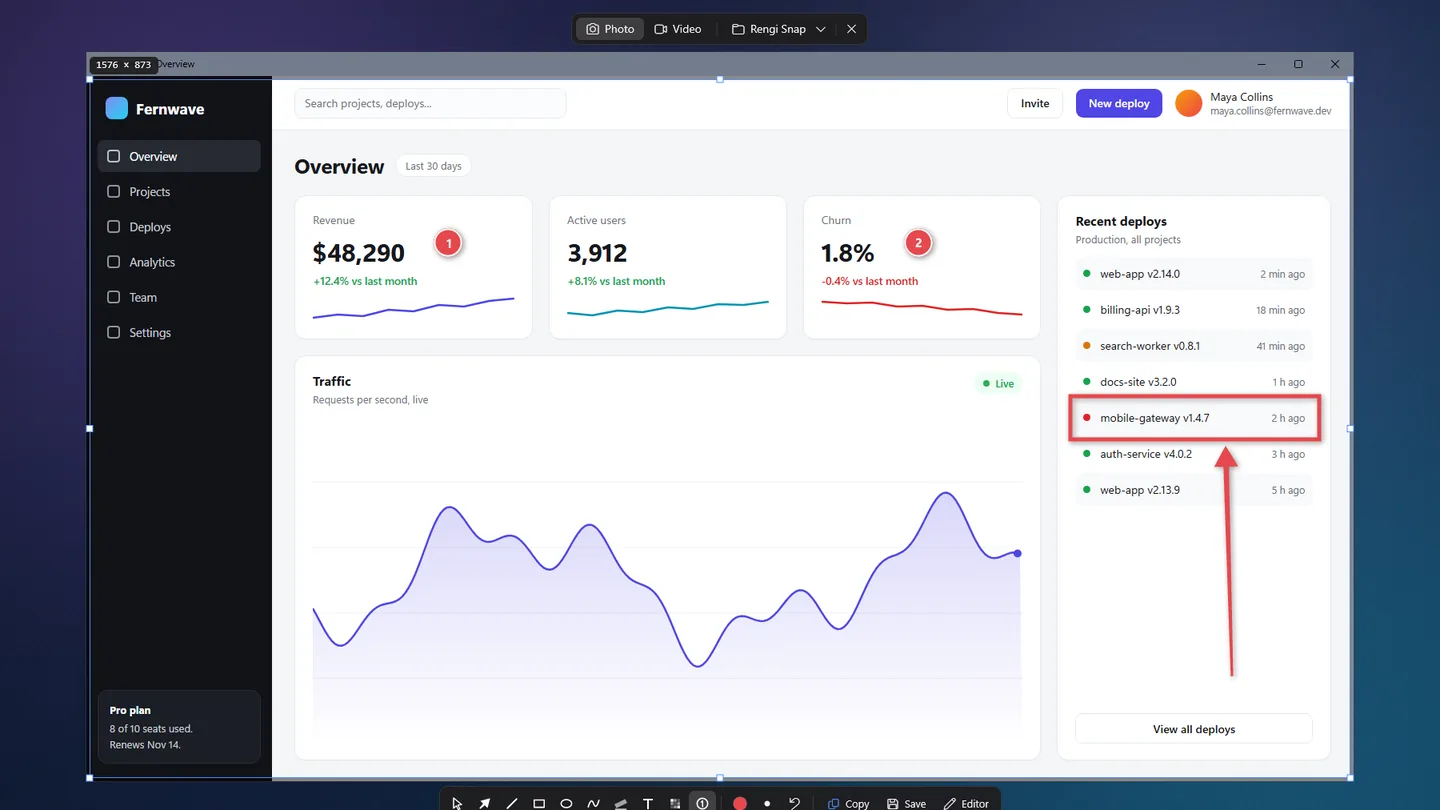
Every monitor stops, so menus and tooltips stay put. Drag a frame, or just click the thing under the cursor: rng-snap already knows where the button, the panel and the window end.
Hover snaps to buttons, panels, rows and windows, inside Chrome, Edge, VS Code, Slack and Discord too. Games and canvas apps get pixel boxes.
Scroll up and the frame grows from the element to its panel, the window, the whole monitor.
Coordinates, frame size and the color under the cursor. Press C to copy the hex.
Hold Ctrl when you release the frame and the tools appear right on the frozen screen. Need more? The editor is one click away.
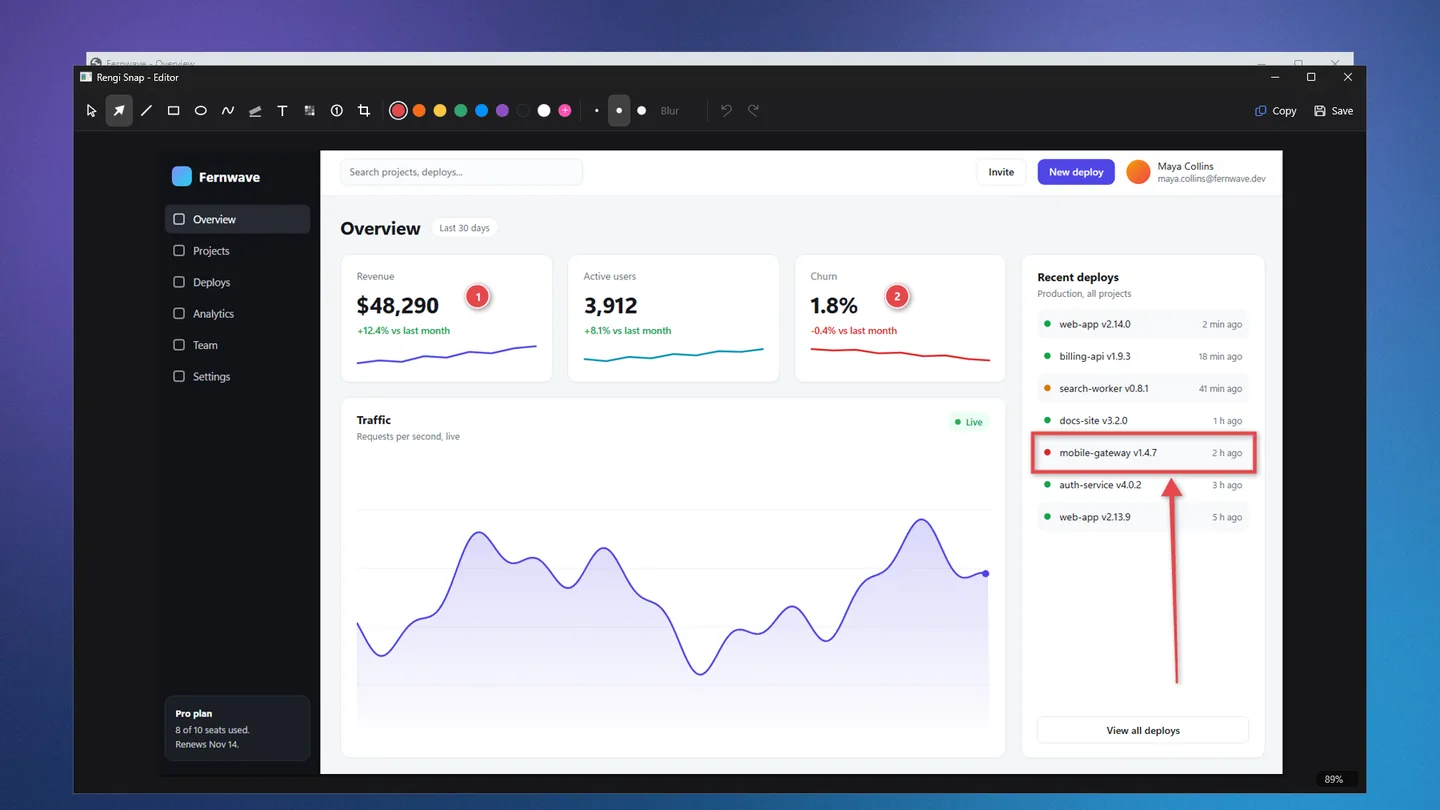
Without the subscription.
No installer, nothing else to download.
Get RengiSnap.exe from the latest release on GitHub.
The exe is not signed, so Windows may warn on the first run: press More info, then Run anyway.
The screen freezes. Click what you want, or switch to Video on the panel at the top.
Written in Rust, native Windows, no UI framework. Before every release, CI drives the real app on a Windows desktop.